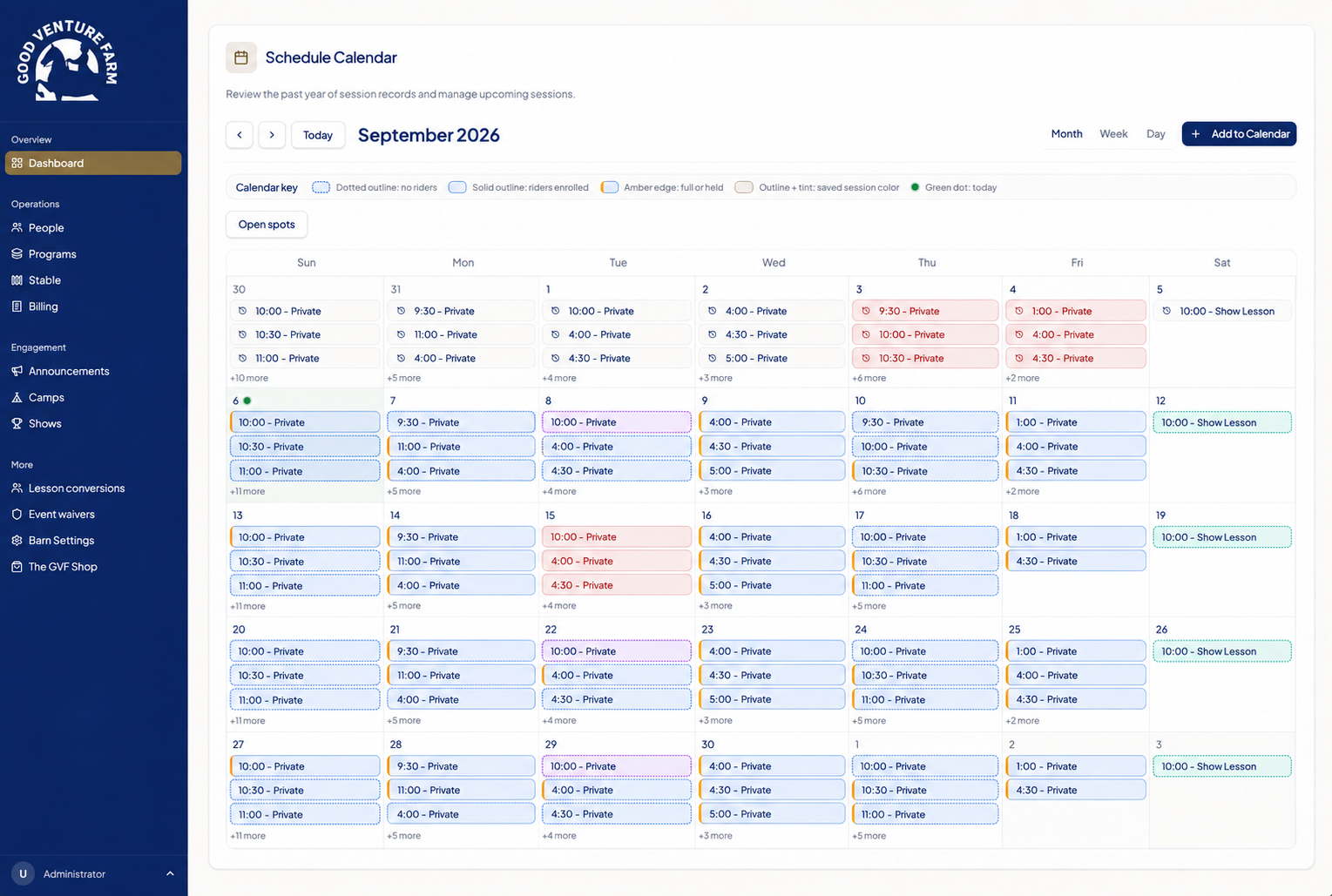
Understand the exception.
A family has multiple riders. A lesson moves to another week. A new customer needs to finish setup without booking immediately. These details define the real requirements.
What started as a barn owner’s scheduling problem became a software business. I work directly with the people using it, translating daily operational needs into the product and staying involved after it ships.
The starting point was a barn owner coordinating lessons through text messages, a paper calendar, and a shared spreadsheet. Every change meant keeping instructors, riders, and parents in sync.
A calendar alone would only solve part of it. Recurring lessons connect to instructor availability. A rider’s booking connects to a parent’s account. A cancellation connects to a credit or a future bill.
My job was to understand those connections, then turn them into software that fit the way the barn actually operated.
I own the loop between what a customer needs, what the system does, and what happens when people use it.
A family has multiple riders. A lesson moves to another week. A new customer needs to finish setup without booking immediately. These details define the real requirements.
Trace the experience from interface to scheduling rules, account relationships, and billing behavior. Make a change that respects the connected workflow.
Help customers through onboarding, investigate operational issues, and use what those conversations reveal to improve the shared product.
A booking interface is the visible part. The engineering underneath has to account for time, capacity, ownership, payments, and the people affected by a change.
These are examples of the decisions I work through with SaddleSync’s customers.
An open slot this week does not guarantee an open slot every week. Evaluate the future series, including bookings, holds, and blocked time, before offering a recurring schedule.
Separate account and payment-method setup from booking a lesson. An occasional rider should be able to finish onboarding without creating an unwanted recurring subscription.
Keep recurring schedules connected to the enrollment or subscription that owns them. Treat changes as a lifecycle, with deliberate effective dates and clear downstream behavior.
Investigate the current state, narrow the change to the intended records, check that its assumptions still hold, and verify the result. Customer support includes responsibility for the data.
The product experience is part of the engineering. I design the navigation, information hierarchy, and interaction patterns alongside the underlying workflows.
For barn staff, that means finding the right lesson or client from a phone. For a parent, it means understanding the schedule across their riders. For an owner, it means seeing what needs attention without assembling the answer from separate tools.
My creative background shapes what the system feels like to use, as well as how it looks.

The infinity ribbon becomes a continuous gold sweep in the app’s loading experience.
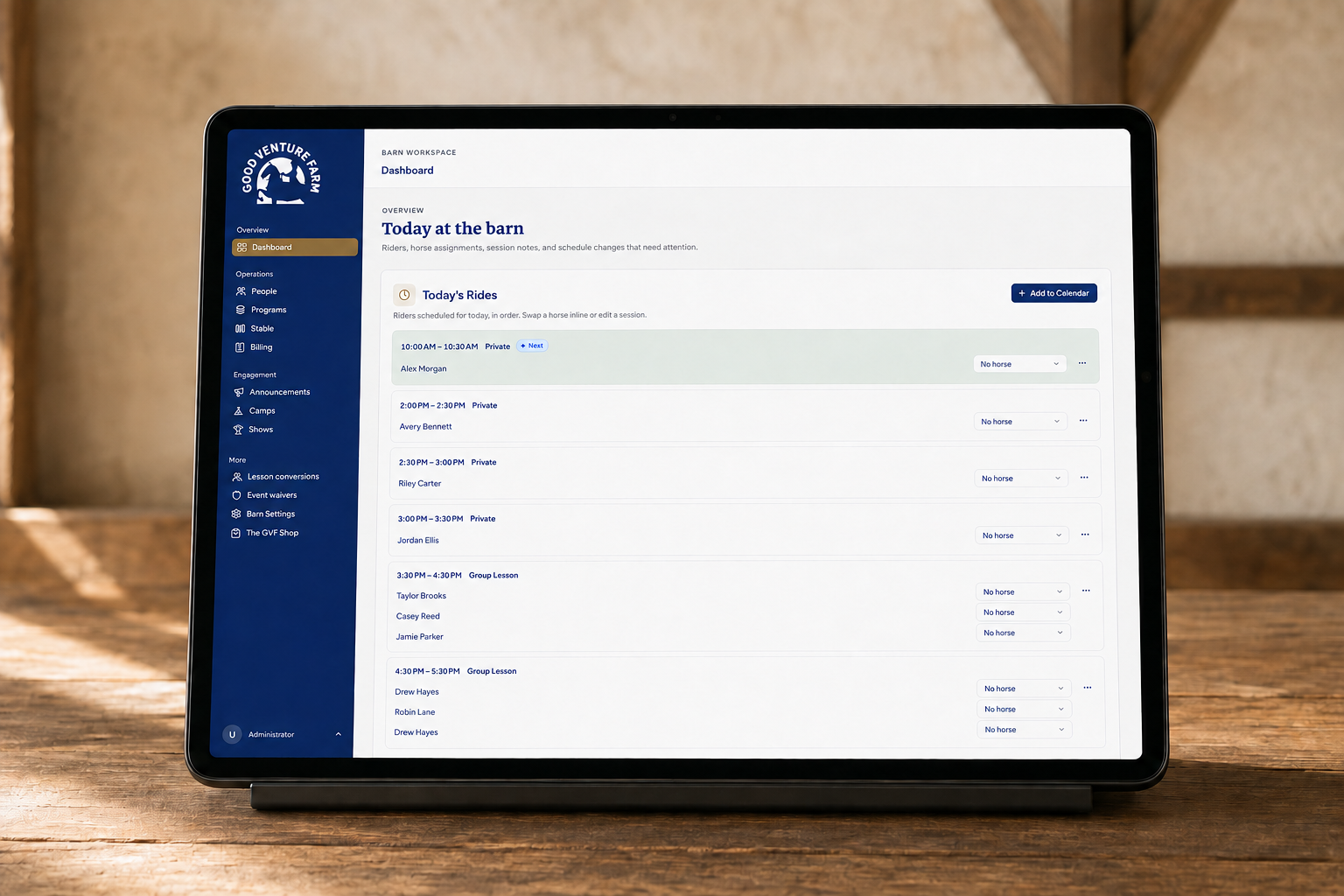
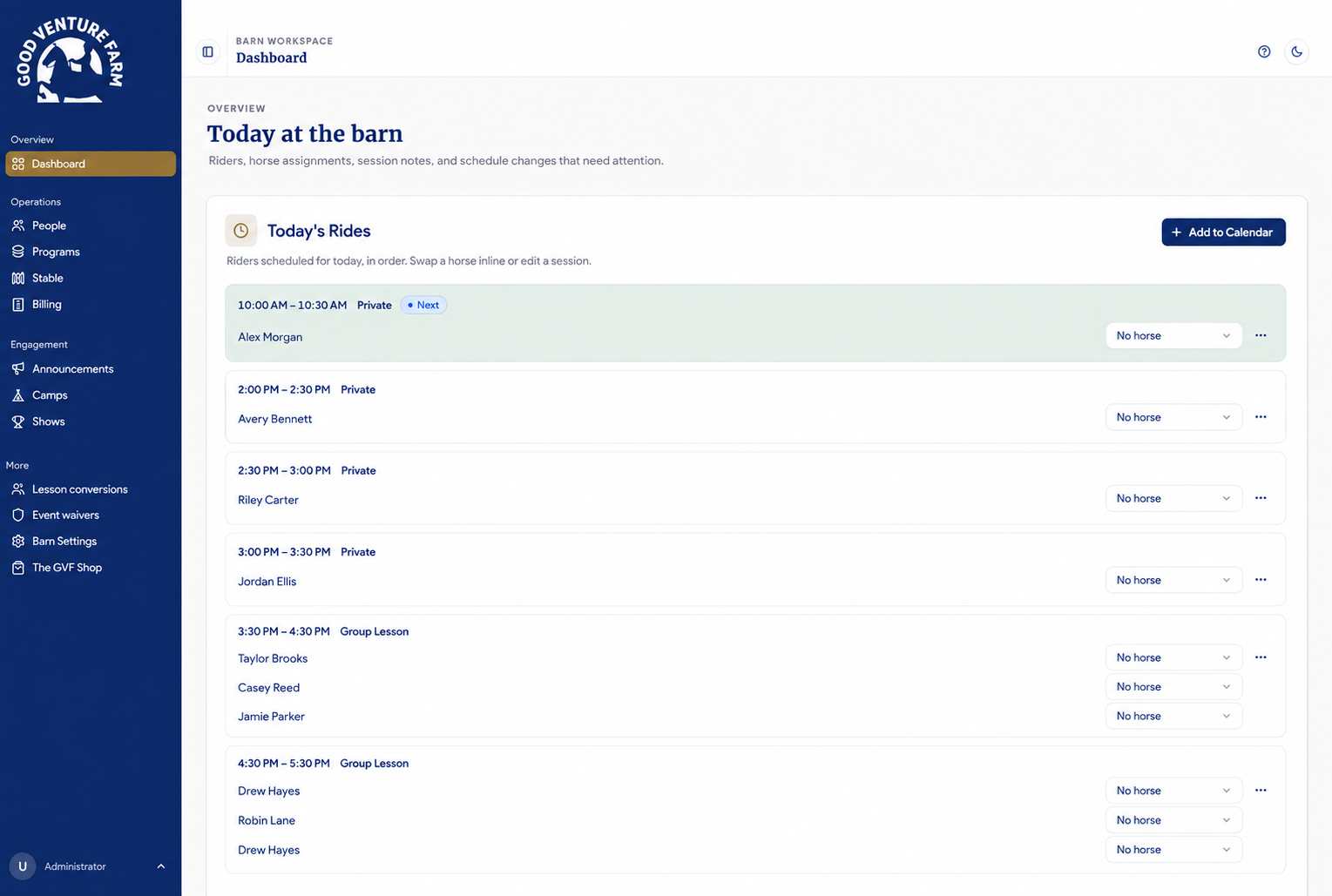
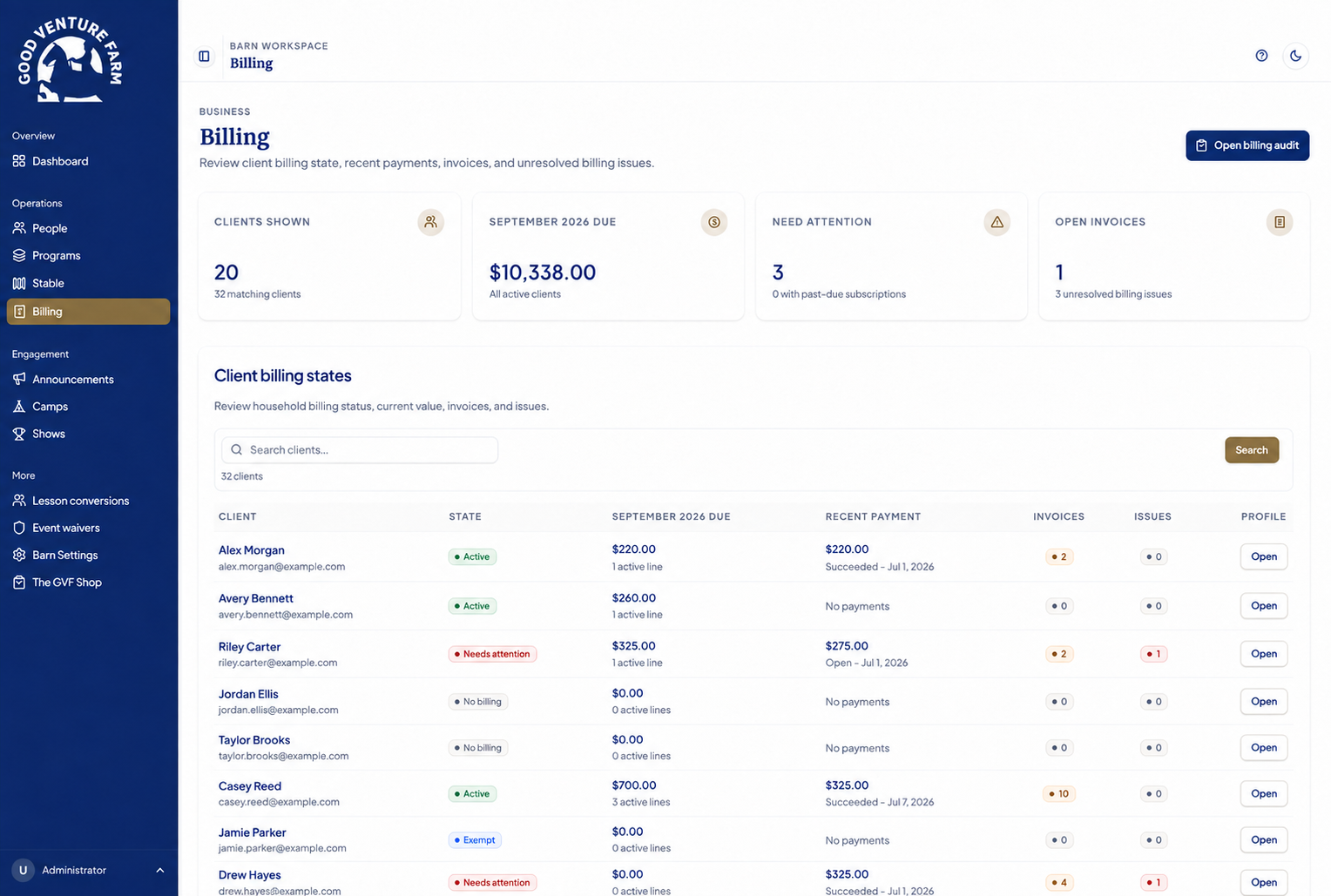
In the aisle. Between lessons.
A phone calls for a different presentation: a compact calendar, focused editing sheets, and billing summaries that are easy to scan.
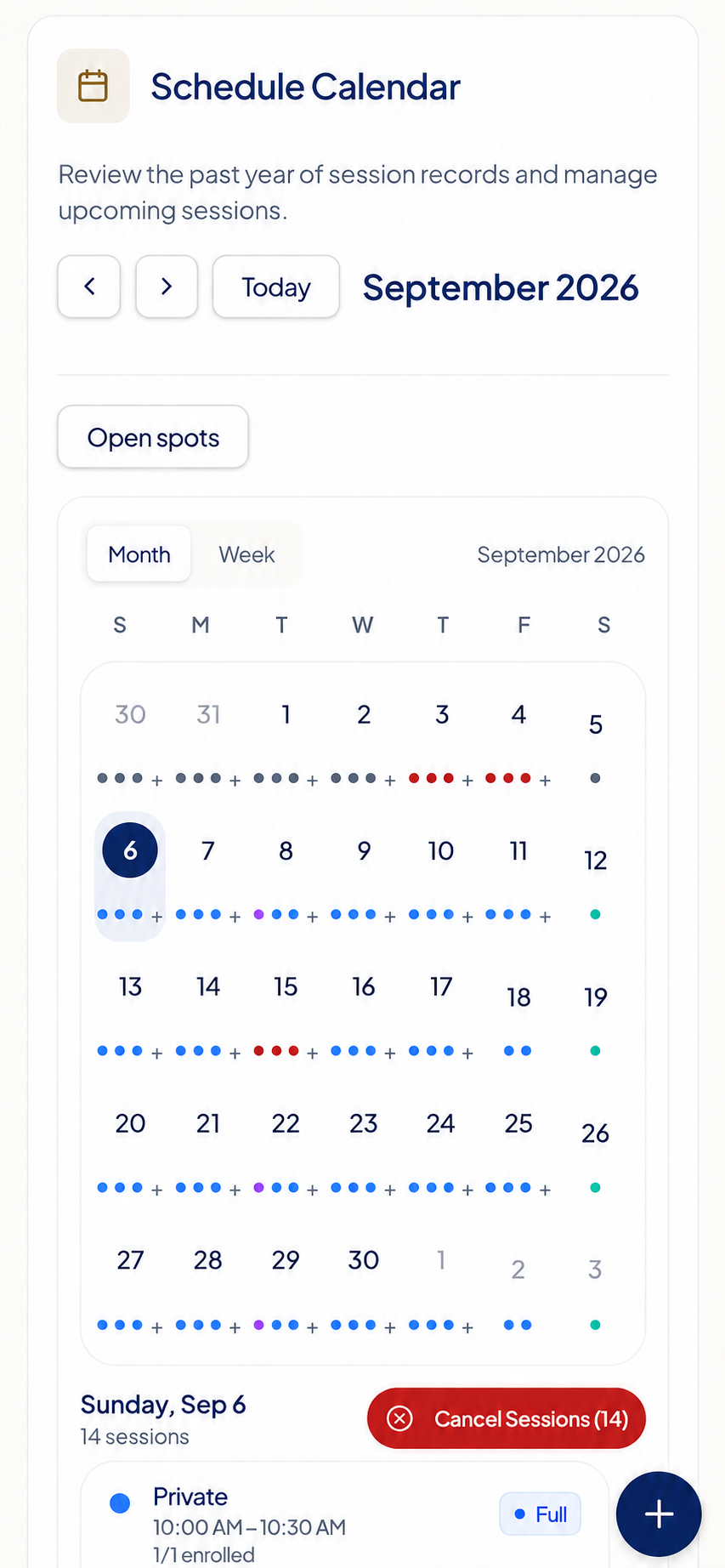
Compact date markers lead into the selected day’s sessions, times, and availability.
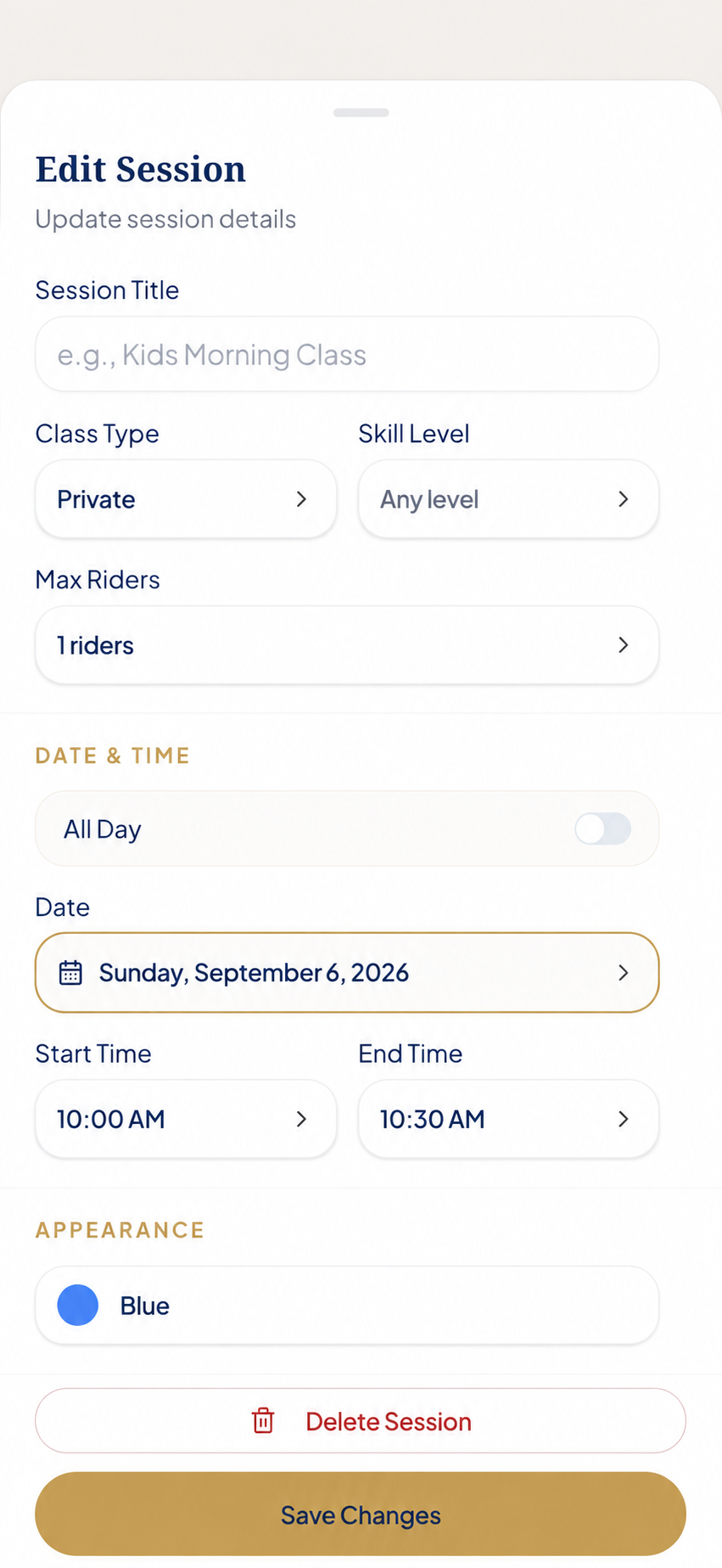
Session details open in a bottom sheet, with the schedule still behind it.
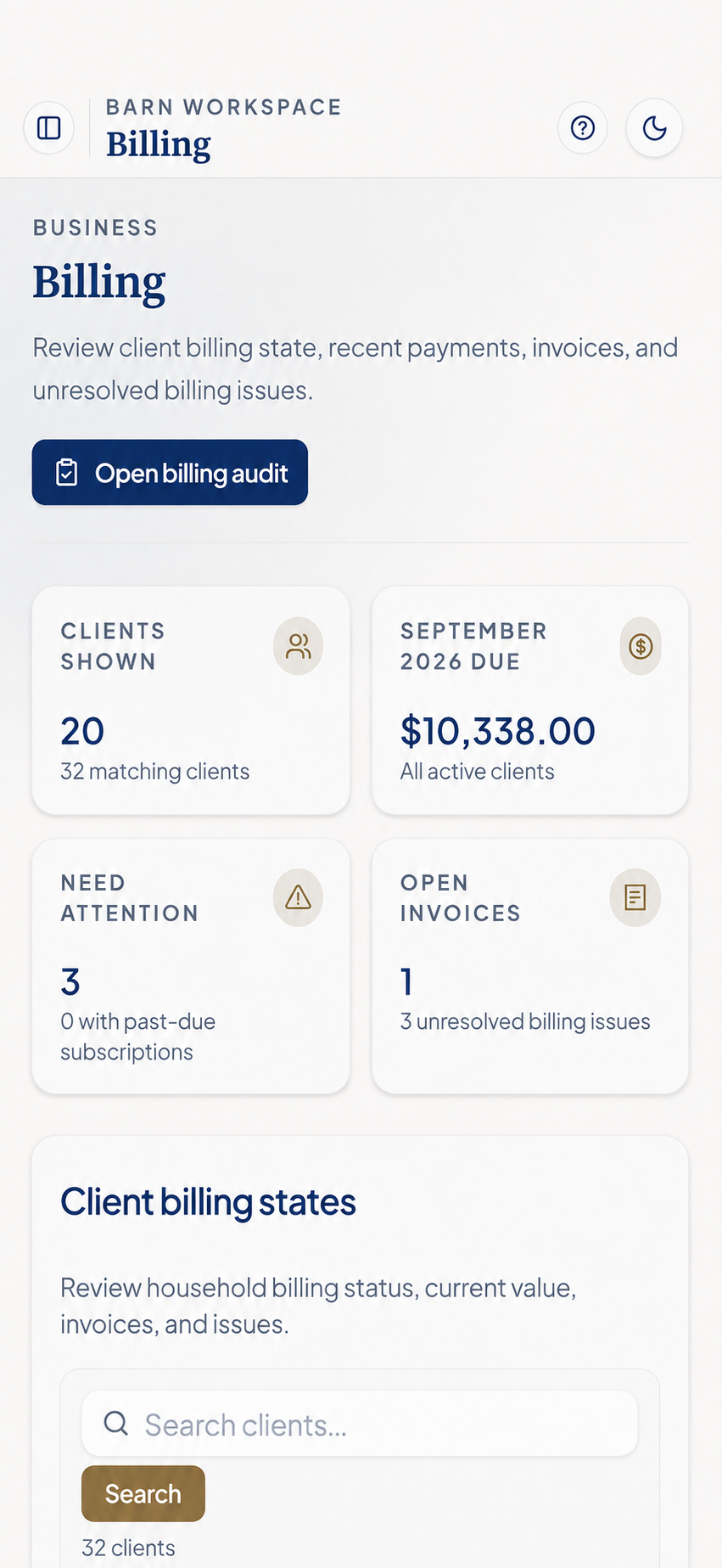
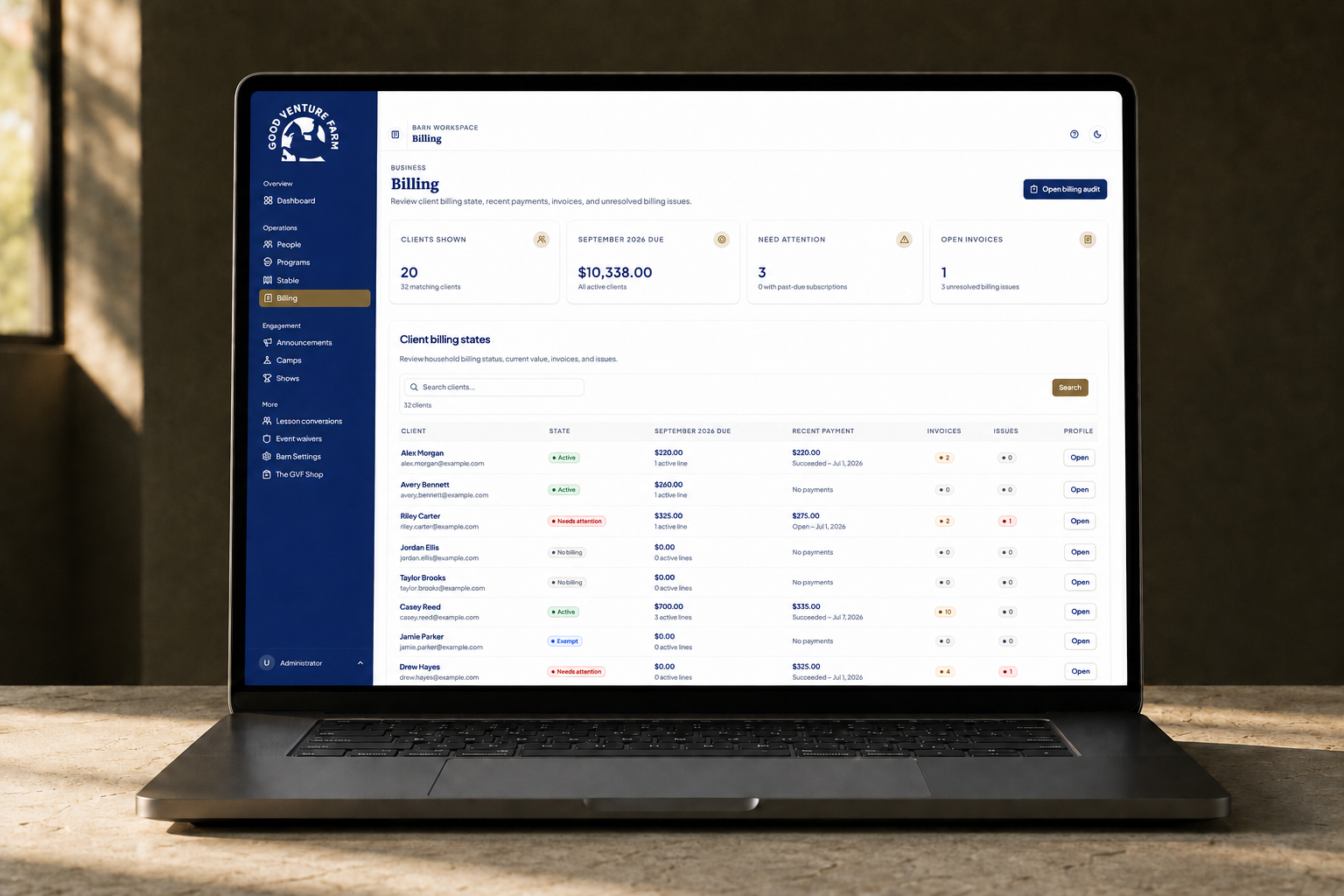
Amounts due and issues needing attention sit above searchable client billing states.
Presentation images adapted from the September 2026 app. Personal names and contact details are fictional; financial amounts are retained. Platform administration controls are omitted. Device scenes are generated mockups.
With SaddleSync, I’m responsible for understanding the customer’s problem, designing the experience, building the application, and supporting the people who rely on it.
That combination is how I approach forward-deployed engineering and creative technology: close customer collaboration, hands-on implementation, and design judgment carried all the way through.
Another side of the practice